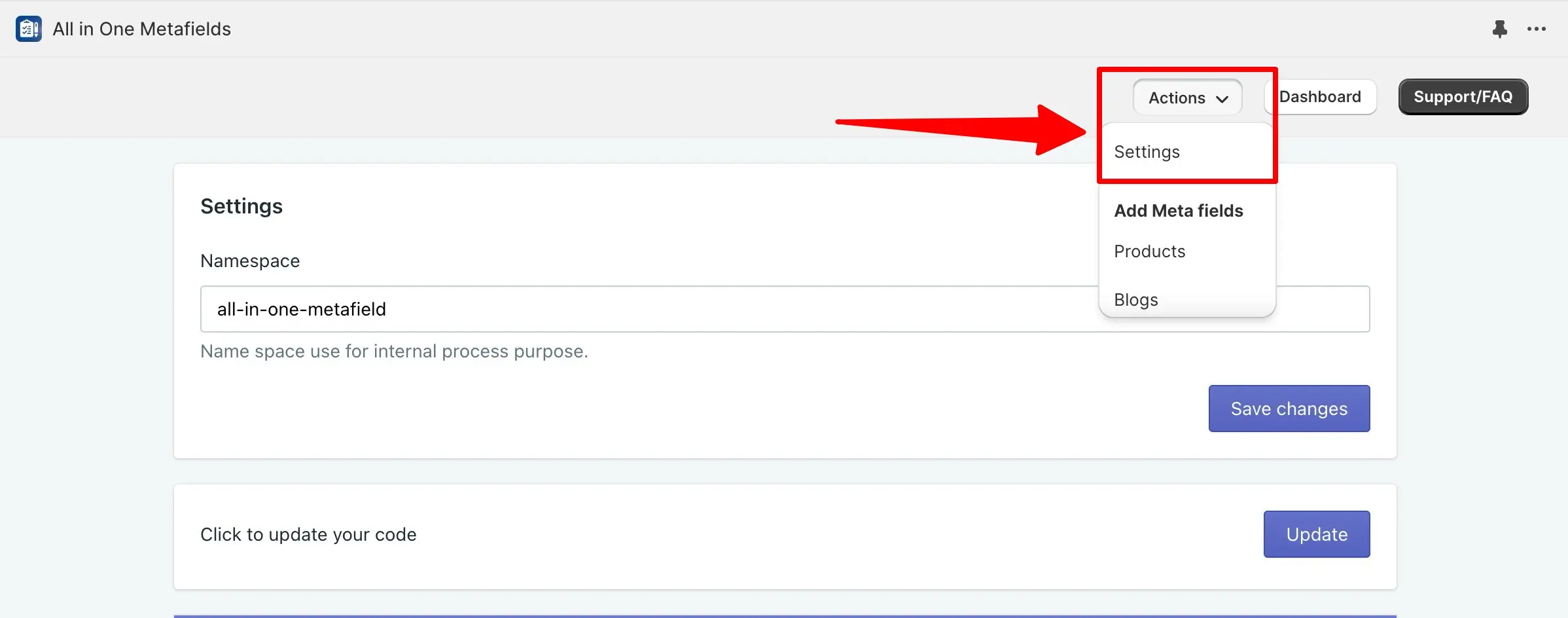
This article explains how to change the metafields namespace in your app settings, which is essential for organizing and managing your store's metafields effectively. By adjusting the namespace, you can ensure that your metafields are properly categorized and accessible. To change the namespace, click on the action dropdown menu and select the Settings option.
After changing the namespace, make sure to click the Save changes button. It's important to note that you should change the namespace before creating any namespace metafields to avoid issues with them not appearing on the front end of your store.
Change Metafields Namespace
➝ Click on the action dropdown from the menu and select Settings option.
➝ Change namespace and click on the Save changes button.
➝ But one important notice you change the namespace before namespace meta fields not to get frontside.
For a quick view of all the above step check the below image